

Turn a video into a sprite sheet for a game
A practical workflow for selecting frames, exporting a sprite sheet and checking timing before using it in a game.
Choose a short clip
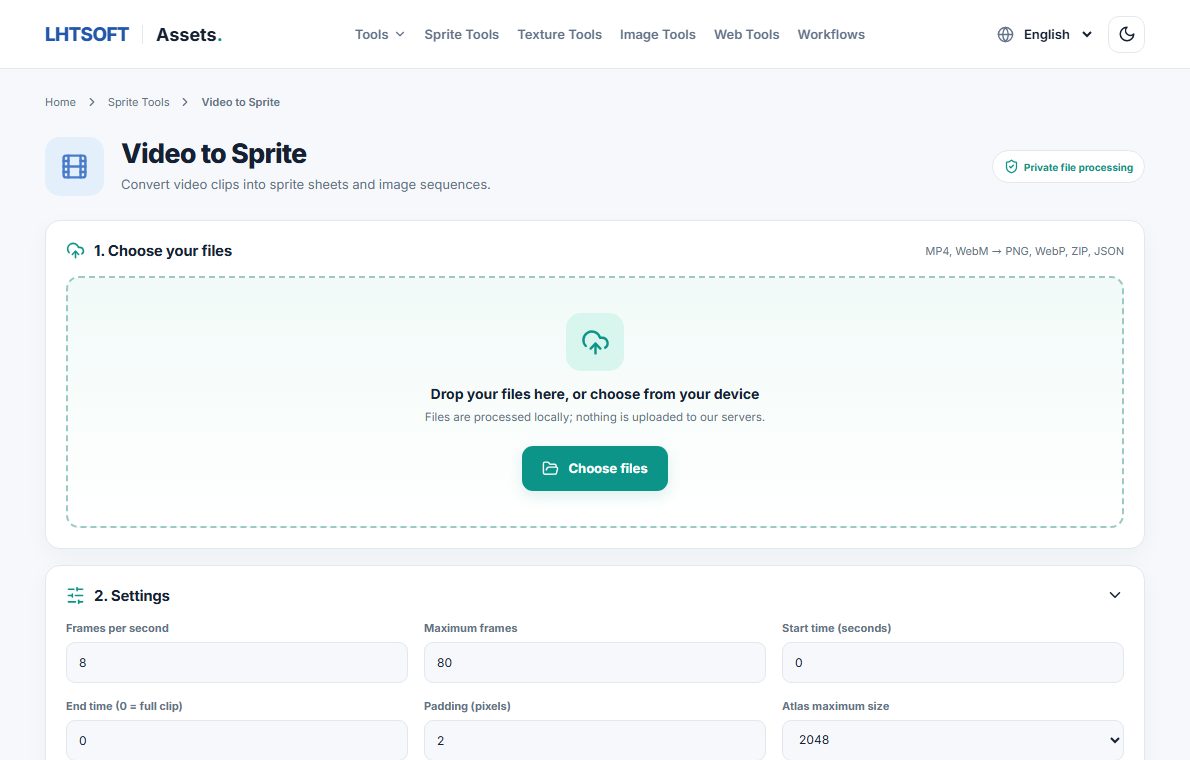
Start with a short MP4 or WebM clip and decide how many animation frames you really need. Fewer, well-chosen frames keep the sheet smaller and easier to load.
Extract frames carefully
Open Video to Sprite in LHTSOFT Assets. Adjust frame rate and frame size, then preview the sampled frames. Codec support varies by browser, so test your source file before relying on the export.
Export for your engine
Export a PNG or WebP sheet, or download separate frames with ZIP and any available JSON metadata. Keep the original aspect ratio and note the grid dimensions your engine needs.
Validate the animation
Import the result into your game engine, check frame order, playback speed and edges, and look for duplicated frames. If you need a tightly packed atlas, process individual images with Texture Packer.