Typing speed, accuracy and corrections: how to compare WPM fairly
A typing score depends on the test text, timing and error rules as well as your ability. A score from a short English word test is not directly comparable with a longer Japanese composition test. Use the same measurement conditions when you want to track improvement.
Published: · Updated:
Understand what WPM counts
A common text-entry convention defines a word as five characters, including spaces and punctuation. With a timed window of 60 seconds and 200 entered characters, the rate is 40 equivalent WPM. This is not a count of dictionary words, and individual tools may count only correct characters or use different timing rules.
Distinguish output and effort
A corrected typo still took time and keystrokes, even if the final text is perfect. Record the test's accuracy definition and correction count as well as its speed. For a simple aligned comparison, 190 matching positions out of 200 is 95%; insertions and deletions require a more appropriate alignment or distance metric.
Match the test conditions
Keep duration, language, text difficulty, punctuation, keyboard layout and input method consistent. A Japanese or Korean IME may compose several keystrokes into one visible character. Do not compare hardware key counts with finished characters as if they were the same unit.
Track repeatable progress
Take several runs under the same conditions and record their median rather than selecting only the fastest. If accuracy deteriorates, practice the letters or combinations that cause errors. A short, comfortable session with breaks is more useful than rushing through painful or fatigued typing.
A reproducible score calculation
- Set a 60-second practice window and record the number of entered characters, including spaces.
- For a hypothetical result of 200 characters, divide by five to obtain 40 equivalent WPM.
- For 100 characters in 30 seconds, scale to one minute and divide by five; the result is also 40 WPM.
- Compare a separate example of 190 matching positions out of 200; record 95% positional accuracy, not a universal app score.
Both examples have the same equivalent text-entry rate despite different durations. The accuracy example is a separate explicitly aligned count; the speed alone does not reveal the correction effort.
Production test results
Test date:
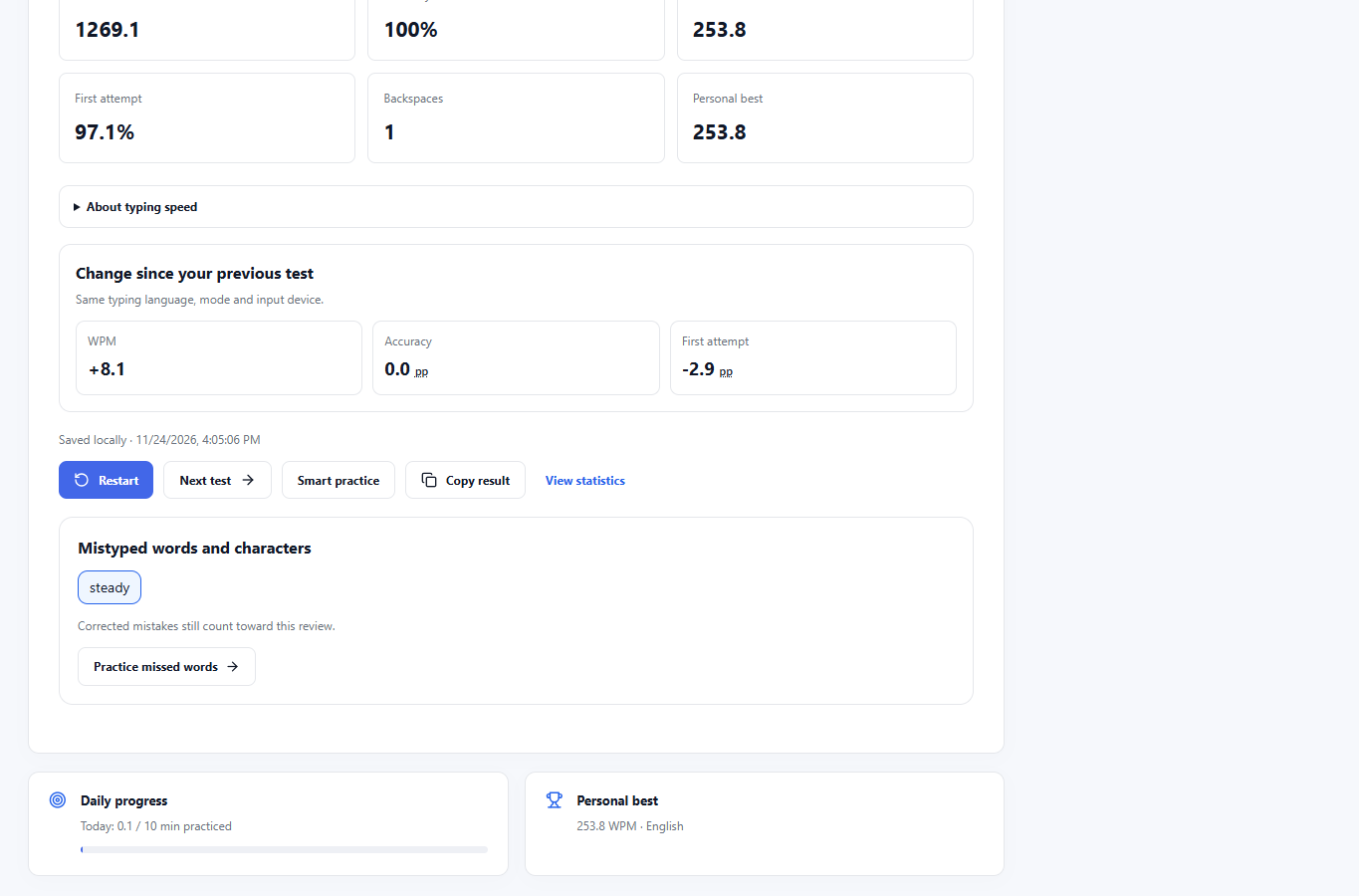
Two automated Chrome runs used the same synthetic English text. Both finished at 100% accuracy; introducing and deleting one wrong character produced one backspace and 97.1% first-attempt accuracy. Automated WPM is not human performance or a general benchmark.
same English custom prompt: steady hands keep a steady rhythmfinal accuracy: 100% / 100%first attempt: 100% / 97.1%backspaces: 0 / 1automated keyboard input; human WPM not measured
Independent check: Chrome sequential keyboard input with and without one wrong character and Backspace; compare actual displayed metrics
Real Chrome screenshot