

How to tune a guitar with an online chromatic tuner
Follow a safe step-by-step guitar tuning routine using a microphone tuner and standard E A D G B E notes.
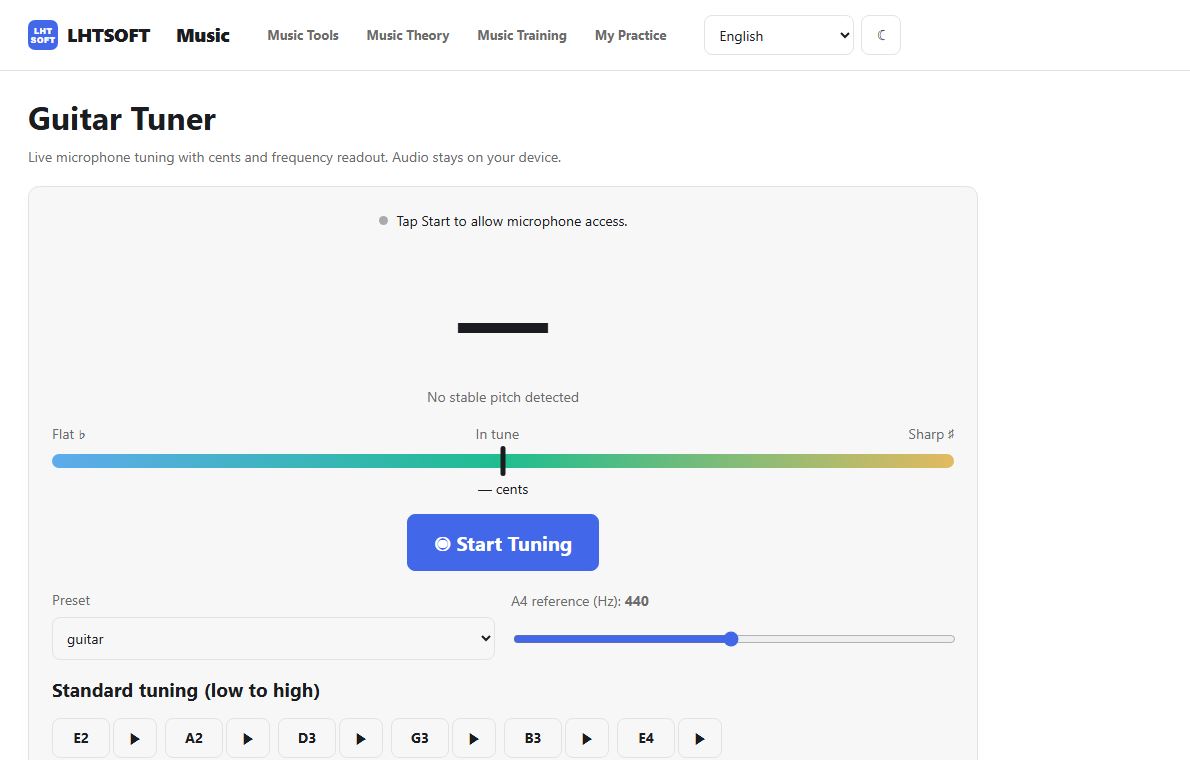
Prepare your microphone
Open the guitar tuner on a device with a microphone and allow access when prompted. Keep surrounding noise low, and pluck just one open string at a time.
Check standard guitar notes
For standard six-string tuning, check the strings from thickest to thinnest: E2, A2, D3, G3, B3 and E4. Compare the detected note with the target before turning a tuning peg.
Adjust pitch in small steps
If the tuner indicates a flat note, tighten the string gradually; if it is sharp, loosen it carefully. Make small turns and pluck again, watching the cents indicator approach zero.
Retest every string
After adjusting all six strings, check each one again because string tension can change. If the microphone cannot detect a steady pitch, move closer or use the reference tone.